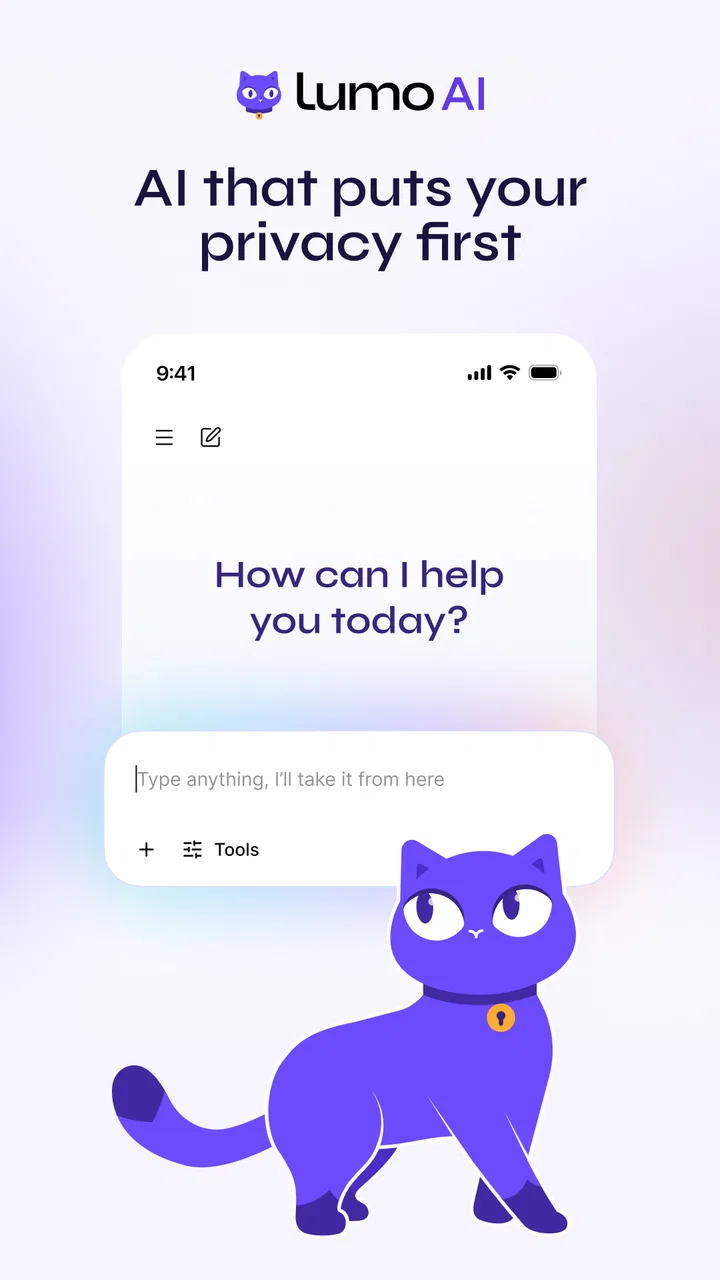
Lumo by Proton
- 3.7
- Rating
- 100.00K
- Installs
- Free
- Price

 Analysis by App-foxy
I approached Lumo as a productivity tool rather than as a general chatbot, because its main appeal is the promise of having a private AI assistant available when I need help thinking, writing, or organizing an idea. That distinction matters. An assistant can save time, but only if the first conversation is easy to start and the answers fit naturally into the way I already work.
My overall impression is that Lumo is most interesting for people who want AI help without immediately choosing a service built around a large advertising ecosystem. It comes from Proton AG, the company behind a broader privacy-focused product family, and it is available free of charge with optional in-app purchases ranging from $12.99 to $119.88 per item. I would not treat that pricing detail as a reason to subscribe immediately, though. The useful question is whether its privacy-oriented approach and conversational workflow match your daily needs better than the usual alternatives.
Where the first conversation can go wrong
The biggest source of frustration with an AI assistant is often not the answer itself but the moment before it: a conversation that seems stuck, a request that appears to send without producing a useful response, or an answer that feels too vague to act on. Lumo is the kind of app where those small points of friction can shape your opinion quickly, so I recommend judging it through a few ordinary tasks instead of one ambitious question.
You May Also Like

 Blood Strike: 2.5 Anniversary
Blood Strike’s Loadouts Turn Every Drop Into a Tactical Gamble
A close look at Blood Strike’s custom loadouts: how fast access to signature weapons reshapes its battle royale rhythm, rewards preparation, and narrows the gap between fights.

 Pandora - Music & Podcasts
Pandora’s Music Is Easy to Start, but Harder to Recover
Pandora’s strength is its low-effort path from a seed to a station. Its weak spot is how much confidence it asks you to place in connection, setup, and quiet recovery.

 8 Ball Pool
 Is Built on Rivalries, Rematches, and Routine
A close look at the rivalries, rematches, shared routines, and unanswered safety questions that turn a quick pool match into a persistent mobile community.

 Samsung Music
’s Quiet Strength Is Playing What You Already Own
Its reach comes less from spectacle than from dependable access to a personal library. That simplicity is both the app’s strongest retention engine and its ceiling.

 AccuWeather: Weather Radar
AccuWeather Review: A Quick, Clear Forecast for Everyday Decisions
For everyday plans, the best forecast is the one you can understand quickly. AccuWeather makes rain timing, radar, and local conditions easy to act on, with a few trade-offs.

 Hill Climb Racing
Why Hill Climb Racing Still Turns Crashes Into One More Run
A tiny car, a bumpy hill and one more upgrade: Hill Climb Racing keeps resurfacing because its simple chaos makes every near-miss feel personal.
More From Our News Desk
View All News


I started with requests that resemble real productivity work: turning rough notes into a clearer message, extracting action points from a block of text, and asking for a simple plan for a busy afternoon. These tests are more revealing than asking for an impressive essay. They show whether the assistant understands context, whether it asks for clarification when needed, and whether its output can be used without a lot of editing.
A useful habit is to state the desired result in the first message. Instead of writing “help with my meeting,” I would write “turn these notes into five action items, keep the tone neutral, and mark anything that needs a decision.” This is not unique to Lumo, but it is especially valuable on a mobile screen where rewriting a vague prompt can be more annoying than refining a good one.
The practical lesson is to treat the first prompt as a brief, not a conversation starter. Include the audience, format, tone, and limits. If the answer is still off target, correct one element at a time. That makes it easier to see whether the problem is the request, the source text, or the assistant’s interpretation.
What I check before blaming the assistant
When a response does not appear, I first check whether the app is actually online and whether the request has finished processing. I also look at the wording of the request. A long pasted passage combined with several instructions can be difficult to evaluate on a phone, particularly when the intended output is not clearly defined.
I then try a short, self-contained prompt in a new conversation. For example, asking for three subject-line options is a better diagnostic than immediately pasting a long document. If the short request works, the earlier problem may have been related to the size or complexity of the input rather than a general failure.
Another sensible check is the device environment. Lumo is listed for devices running Android ten or later, so an older phone should not be treated as a normal test case. On a supported device, I would make sure the app is updated before spending time troubleshooting. The current Android version is 2.0.5-gms, and keeping the installed version current is a simple way to remove avoidable compatibility issues.
Setup checks that save time
The initial setup should be approached as part of the privacy decision, not as a formality. I would read each screen carefully, confirm which account or sign-in method I am using, and avoid rushing through choices simply to reach the chat interface. With a privacy-centered product, those choices are part of understanding what the app is designed to do.
I also recommend testing the app on the connection you expect to use most often. A request that works on a reliable home network but fails on a weak mobile connection can create the impression that the assistant is unreliable. Repeating the same short prompt under a stable connection gives you a cleaner baseline.
There is another practical point: do not begin by moving sensitive work into the app. Start with harmless material, such as a shopping list, a public paragraph, or a fictional planning exercise. This lets you learn the interface, response style, and editing workflow before you decide whether it belongs in more personal or professional routines.
That staged approach is particularly useful because Lumo is rated for Everyone. The age rating makes it approachable, but it should not be confused with a guarantee that every answer is suitable for every situation. I would still supervise how younger users apply its responses, especially for schoolwork, personal decisions, or anything requiring factual judgment.
Recovering a workflow when a request fails
When a conversation becomes unhelpful, I do not keep adding instructions to the same message. I copy the important part of the task, open a cleaner exchange, and reduce the request to one outcome. For example, I might first ask for a concise summary, then ask for a checklist based on that summary. Breaking the workflow into stages makes mistakes easier to spot and correct.
This two-step method is one of the more useful ways to work with a mobile AI assistant. A single request that asks for research, judgment, formatting, tone, and a final decision can produce an answer that sounds polished but misses the central need. Separating “understand this” from “do something with it” gives me more control over the result.
I also keep the original source beside the generated answer. Lumo can help transform information, but I would not use an AI response as the sole authority for medical, legal, financial, or safety-critical decisions. In those situations, the assistant is better used for preparing questions, organizing notes, or explaining terminology that I then verify elsewhere.
A less obvious recovery technique is to ask the assistant to show its uncertainty in plain language. Rather than requesting confident prose, I might ask it to separate clear conclusions from assumptions and open questions. That turns a smooth-sounding answer into something easier to review, which is far more useful for planning than a response that hides its weak points.
A realistic afternoon use case
Imagine I have a series of messages from a volunteer project, a list of errands, and a short deadline. I would first ask Lumo to extract the commitments from the messages, keeping names and dates exactly as written. Next, I would ask it to group those commitments by urgency and identify anything that needs confirmation. Finally, I would request a short reply for the person waiting on an update.
The advantage here is not that the app magically manages the whole afternoon. The advantage is that it reduces the mental switching between reading, sorting, and drafting. I remain responsible for checking whether the extracted commitments are accurate, but I no longer have to create the first structure from a messy block of text.
There is a trade-off. If the messages contain private details, I would pause and decide whether the convenience is worth using them in an AI workflow. A safer compromise is to replace names, addresses, and identifying details with neutral labels before asking for organization or drafting help. That takes extra effort, but it keeps the task focused on structure rather than exposing unnecessary information.
When the app is not the cause
It is easy to blame the assistant when the real issue is the material being supplied. A vague request produces a vague result; contradictory notes produce an uncertain summary; and incomplete context can make a correct answer look irrelevant. Before deciding that Lumo is poor at a task, I would give it a clean example with a clearly stated goal.
Formatting can also affect the experience. If I paste a large wall of text, I make the boundaries of the source clear and tell the assistant what to ignore. If I need a table-like result, I specify the headings. If I need something suitable for a message, I ask for a length and tone. These small instructions reduce the amount of interpretation required.
Device performance is another factor. AI responses can feel slow on a phone that is already busy with background work, low storage, or an unstable connection. I would close unnecessary apps, retry a small prompt, and compare the result with a simple local task such as opening another productivity app. That does not prove where a problem lies, but it prevents an exaggerated conclusion from one bad attempt.
The same caution applies to factual accuracy. A private assistant is still an assistant, not a replacement for a primary source. I find it most dependable as a writing partner, summarizer, brainstorming aid, and organizer of information I provide. I become much more cautious when the answer depends on current events, exact figures, specialist interpretation, or a decision with serious consequences.
How it compares with familiar alternatives
Compared with a standard notes app, Lumo is better suited to transforming rough material. A notes app gives me direct control and predictable storage, but it does not naturally turn scattered thoughts into a draft or a sequence of tasks. If my priority is a permanent archive with manual organization, I would still choose a dedicated notes tool.
Compared with a conventional search engine, Lumo is more comfortable for back-and-forth refinement. I can explain what I mean, request a different tone, or ask for a shorter version without rebuilding the search from the beginning. Search remains the better starting point when I need original sources, current pages, or a way to compare several authoritative references.
Compared with mainstream AI assistants, Lumo’s clearest attraction is its identity as a private AI assistant from Proton. That will matter more to someone already comfortable with Proton’s approach than to a person who only wants the largest possible collection of integrations or the most familiar ecosystem. I would choose based on the kind of trust and workflow I value, not only on whether one answer sounds slightly better.
Its average rating is 3.7 from around 2.9 thousand ratings, with roughly 285 written reviews, while the app has passed 100 thousand installs. Those figures suggest a real but still relatively modest audience, so I would interpret the public reaction as useful context rather than a final verdict. The app has been available since June 6, 2025, which also places it in an early stage compared with long-established productivity services.
Who will appreciate it, and who should skip it
I think Lumo is a good fit for someone who wants an approachable AI layer for drafting, summarizing, brainstorming, and reorganizing personal notes, while giving privacy a prominent place in the decision. It is also suitable for users who prefer to improve a result through conversation rather than learn a complicated automation system.
I would be more hesitant to recommend it to someone who needs a full project-management platform, deep document collaboration, or a guaranteed source of current specialist information. An AI assistant can support those activities, but it does not automatically replace the tools built specifically for them. I would also skip it if I wanted a completely manual workflow with no generated text involved.
The free entry point makes experimentation easy, but I would spend time with ordinary tasks before considering an in-app purchase. The available items extend from $12.99 to $119.88, so the decision deserves more thought than tapping through a short trial. I would only pay if the app consistently removes a real part of my workload and its privacy-focused positioning is valuable to me.
My practical verdict
After looking at both the useful moments and the points where care is needed, I see Lumo as a promising productivity companion rather than an all-purpose replacement for search, notes, or professional software. Its strongest role is helping me move from unstructured text to a workable next step: a cleaner draft, a short list, a set of questions, or a plan I can review.
The best results come from a disciplined workflow. I start with non-sensitive material, use short diagnostic prompts, state the desired format, split complicated jobs into stages, and verify anything important. When a response fails, I check the connection, device support, app version, and input quality before assuming the service itself is broken.
I would recommend trying Lumo if privacy and conversational productivity matter more to you than having every possible integration. I would not recommend treating it as an unquestionable authority or paying before it proves useful in your own routine. For me, that balanced position is the right one: Lumo is worth exploring, especially for thoughtful writing and organization, but its value depends on how carefully I use it.
In short, Proton’s app has a clear purpose and a sensible place in the productivity category. It works best when I remain the editor and decision-maker, using the assistant to reduce friction rather than surrender judgment. That makes it a practical option for everyday thinking work, provided I approach its answers with the same care I would give any other AI tool.
FAQs for Lumo by Proton
01What is Lumo by Proton?
Lumo is an AI assistant developed by Proton, the company known for privacy-focused services such as Proton Mail and Proton VPN. It can help with tasks including answering questions, summarizing text, brainstorming ideas, drafting content, and explaining complex topics. Its main appeal is a stronger emphasis on privacy, with Proton stating that conversations are not used to train the models and that chats receive privacy protections comparable to its other products.
02Is Lumo by Proton free to use?
Lumo offers access through a free plan, although usage limits and available features may vary. Proton also provides a paid option for users who need higher limits or additional capabilities, depending on the current subscription structure. Before downloading or subscribing, it is worth checking the latest pricing, message allowances, and included features in the official app store listing or Proton’s website, since these details can change over time.
03How private are conversations in Lumo?
Privacy is one of Lumo’s main selling points. Proton says that chats are protected with privacy-focused technology and are not used to train its AI models. The service is designed to minimize the collection of personal information, but users should still avoid entering passwords, financial details, confidential business data, or other highly sensitive information. As with any online AI service, privacy depends on the current terms and technical implementation.
04What can I use Lumo by Proton for?
Lumo can be used for everyday productivity and learning tasks, such as writing or rewriting text, summarizing documents, generating ideas, translating content, creating outlines, and answering general questions. It may also help analyze information provided in a conversation. However, its responses can occasionally be incomplete, outdated, or incorrect, so important medical, legal, financial, academic, or professional information should always be checked against reliable sources.
05Is Lumo by Proton available on Android and iPhone?
Lumo is designed to be accessible through Proton’s supported platforms, including mobile devices where the official application or web experience is available. Android and iPhone users should download it only from the official Google Play Store, Apple App Store, or Proton website to avoid imitation apps. Compatibility, regional availability, and specific features can differ between platforms, so check the current store listing before installing.
Pros
- End-to-end encryption helps keep conversations private from Proton.
- No ads or behavioral tracking create a cleaner
- more private experience.
- Built by Proton
- with a strong reputation for privacy-focused services.
- Supports natural conversations for drafting
- brainstorming
- and everyday questions.
- Available across devices
- making chats easy to continue on the go.
Cons
- Some advanced features may require a paid Proton plan.
- AI responses can still contain errors or misleading information.
- Privacy protections do not guarantee that generated answers are always confidential.
- Its capabilities may feel limited compared with more established AI assistants.
- Requires an internet connection for most requests and conversations.

Lumo by Proton
Gallery